Prediction markets in Politics: how to read the odds
On this page
A prediction market is a place where people trade on the outcome of an event, such as who wins an election or whether a bill passes. The price of each outcome moves with what traders think, and Politics shows those prices as chances beside the records and the news about the same event.
For what prediction markets are and how they work in general, see Predictions. This page is about how Politics shows them.
#Where markets appear in Politics
Markets sit next to the thing they are about:
- The overview's What the markets say card shows the market on control of each chamber and the day's biggest moves.
- The Elections page and each race page show the markets on races.
- A member's page shows the markets on their seat, and markets that name them.
- A bill's page and a vote's page show markets on the bill, or on the nominee a vote is about.
- A Politics search shows matching markets in the side column.
- Your Following page shows the markets you follow.
#Browse all the markets
- Open Prediction Markets in the row of Politics sections.
- Choose a kind: Everything, Elections, Politics & policy or Fed & economy.
- Choose an order: Most traded, Biggest moves today or Closing soonest.
- Choose a source: All sources, Kalshi or Polymarket.
- To look for a subject, type words, for example
shutdownortariffs, and select Find.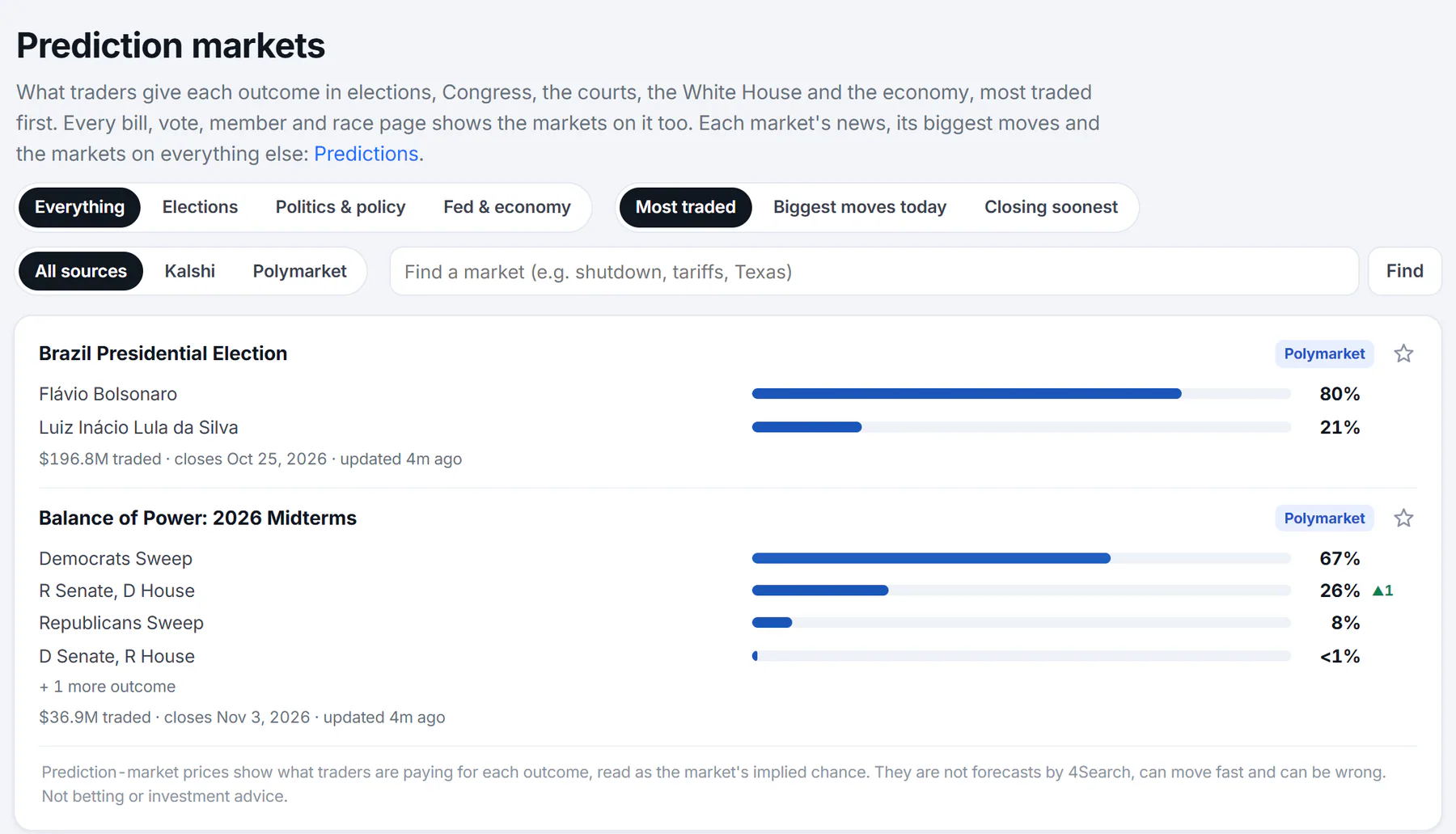
The Prediction Markets page. The three groups of pills and the search box narrow the list; each card is one market.
- 1Elections, politics and policy, or the Fed and economy
- 2Most traded, biggest moves, closing soonest
- 3All sources, Kalshi or Polymarket
- 4Find a market by words
- 5A market card
The list shows 30 markets at a time. Select Older to see more.
#Read a market card
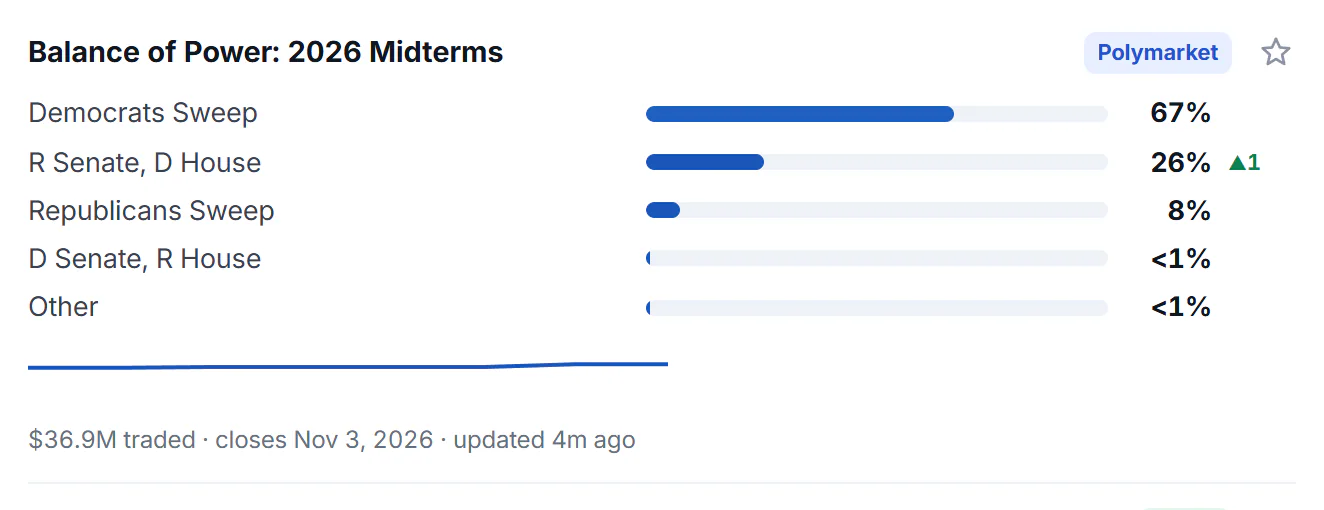
One market card. The numbers are a snapshot: they change through the day.
- 1The question the market asks
- 2Where the market trades
- 3The chance the market gives the outcome
- 4Change over the last day, in points
- 5The leading outcome over 30 days
- 6Amount traded, closing date, last update
Every card has the same parts:
- The question the market asks, as its title. For most markets, selecting it opens the market on the exchange's own website in a new tab. Markets about the Fed and the economy usually open a page in Finance instead.
- The source, the name of the exchange: Kalshi or Polymarket.
- The outcomes. Each has a bar and a percentage, the highest first. The percentage is what traders are paying for that outcome, read as the market's implied chance. A market that asks a yes-or-no question shows Yes only. A card with more outcomes than it can show says, for example, + 3 more outcomes.
- The change. A green ▲ or a red ▼ beside a percentage is how many points it moved over the last day. A change under half a point is not shown.
- The trend line. A small line shows the leading outcome's chance over the last 30 days. It appears once the market has a few days of history.
- The facts line. How much has been traded, when the market closes and when the card was last updated. A market on Polymarket shows dollars traded, and a market on Kalshi shows contracts traded, because each exchange counts in its own unit. When another exchange has a similar market, the line also notes it, as in also Kalshi 93%.
- A star, to follow the market.
A figure under 1 percent is shown as <1%, and one over 99 percent as >99%.
#Follow a market
Select the star on a card to follow the market. It then appears under Prediction markets on your Following page, with its trend line. Where a market moved by 3 points or more in a day, the What's new feed says so.
#Common questions
Are the percentages predictions?
They are the market's implied chance, taken from what traders are paying, not a forecast by 4Search. A market can be wrong, and the numbers can change quickly.
Can I place a bet or trade on Politics?
No. Politics only shows the markets. The exchange's website, which the card links to, is where a market is traded.
Why do two markets on the same question show different numbers?
They can trade on different exchanges, word the question a little differently or be updated at different moments. Each card names its source and says when it was last updated.
What do the arrows mean?
They show how many points the chance moved over the last day: green for up, red for down. A card shows no arrow when the change is under half a point.
Why does my Following page say a market is no longer found?
The page lists what it can no longer find, such as a market that has closed, and offers to remove it from your list.
Where are the Fed and economy markets?
Choose Fed & economy on the Prediction Markets page. Their cards usually open a page in Finance.